Program boards are more than just wall displays—they’re a window into the learning journey of children. For educators, they serve as a compliance tool, a communication channel, and a reflective practice aid. This guide outlines what to include, why it matters, and how to design boards that are both functional and inspiring.
What Belongs on a Program Board
-
Weekly/Daily Program Plan
Clear outline of planned experiences (art, sensory play, outdoor exploration).
✔️ Helps families see the rhythm of the day.
✔️ Supports educator accountability. -
Learning Outcomes
Link activities to frameworks like the EYLF.
✔️ Shows intentional teaching.
✔️ Demonstrates curriculum alignment. -
Children’s Voice
Quotes, drawings, or photos reflecting interests.
✔️ Reinforces child-led programming.
✔️ Builds ownership and pride. -
Family Input
Space for suggestions, cultural contributions, or feedback.
✔️ Encourages collaboration.
✔️ Strengthens community ties. -
Observations & Reflections
Educator notes on what worked well and what could be extended.
✔️ Models reflective practice.
✔️ Guides future planning. -
Upcoming Events & Notices
Excursions, cultural celebrations, or community activities.
✔️ Keeps families informed.
✔️ Connects learning to the wider world.
Photo Ideas


Why Program Boards Matter
- Transparency: Families understand how learning is planned and scaffolded.
- Compliance: Meets regulatory requirements for documenting and displaying curriculum.
- Engagement: Encourages dialogue between educators, children, and families.
- Reflection: Acts as a tool for continuous improvement.
Practical Tips for Educators
- Use visuals (photos, icons, colour coding) to make boards accessible.
- Keep language family-friendly—avoid jargon, explain outcomes simply.
- Rotate content weekly so boards stay fresh and relevant.
- Include interactive elements (sticky notes for family input, QR codes linking to newsletters).
- Align board sections with EYLF outcomes for easy compliance checks.
A well-designed program board is more than a compliance requirement—it’s a storytelling tool. It captures the voices of children, families, and educators, making learning visible and meaningful. By keeping boards practical, reflective, and engaging, educators can transform them into powerful bridges between the classroom and the community.
Image References:
Image 1 - Rebecca Mattis
Image 2 - Donald Beck
Image 3 - Roseville Early Years
Image 4 - Cherie Purkiss
Image 5 - Sue Barnes
Image 6 - The Empowered Educator




 The Children’s Services Award introduces a streamlined classification system and updated pay rates designed to better recognise the skills, qualifications, and responsibilities of early childhood
 The Children’s Services Award has 8 clear levels. These levels make it easier to understand where you fit, based on your experience, qualifications, and responsibilities.
 When working as a qualified early childhood teacher (with a university degree) within a service, your rate of pay will come from the Educational Services
 Diploma-qualified educators play a vital role in early childhood services, taking on responsibilities that range from supporting children’s learning and development to leading rooms and
 Certificate III qualified educators form the backbone of early childhood services, providing essential care and learning support for children across all settings. Their wages under
 Early Childhood Teachers (ECTs) play a vital role in leading curriculum and pedagogy in early learning settings. Regulation 272 of the Education and Care Services
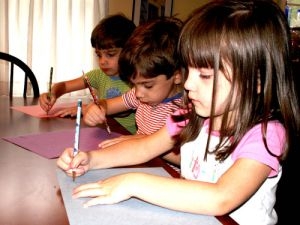 Discover how school readiness programs support children’s independence, confidence, and skills for a successful transition into primary school.
 When an Educator is not performing their tasks or responsibilities at best practice, these issues need to be addressed for the Educator to understand where
 Educators can maximise tax deductions by claiming classroom supplies, training, union fees, and home office costs this financial year.
 A staff appraisal is a formal, systematic process of determining and reviewing the performance of early childhood educators over a period of time, usually a